A few weeks ago I wrote about our vision for the agent age: Agents should be able to run on HubSpot and run HubSpot. I want to dive deeper into what “Running HubSpot” actually means and our latest step toward bringing that vision to life.
Companies don’t just send their employees to HubSpot for work. They send agents. And these agents must be able to act on your behalf as effectively as possible, wherever they operate.
The last part is important. An agent does not always run in one place and in one infrastructure.
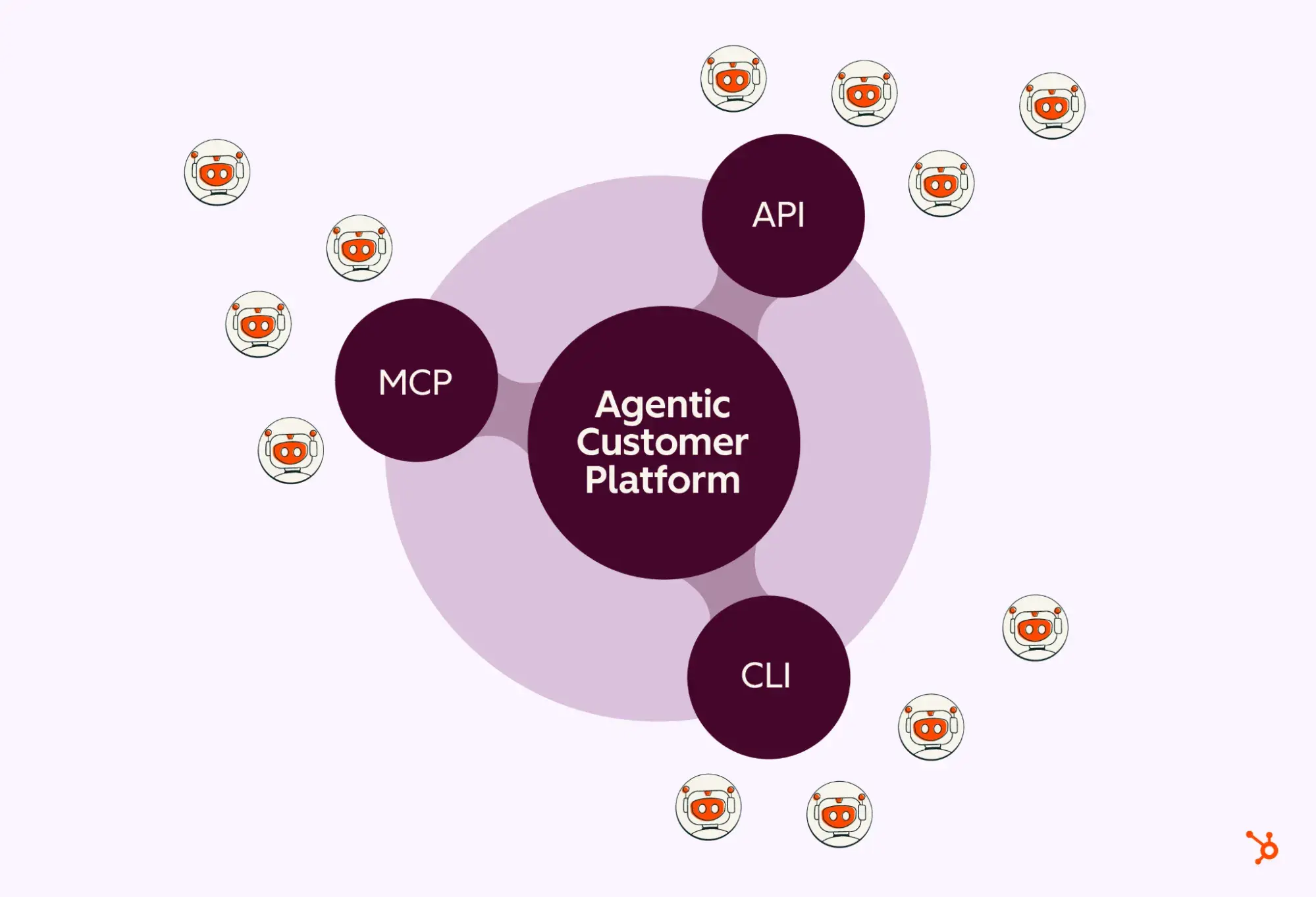
With AI Connectors, HubSpot context and actions are already available in Claude, ChatGPT, and other environments where teams work. Now we add another agent infrastructure: Command Line Interface (CLI).
Introducing the HubSpot Agent CLI
The HubSpot Agent CLI brings HubSpot’s data and information into the environments where GTM and Operations teams create their own workflows – Codex, Claude Cowork and Claude Code – and enables agents to automate repetitive, bulk and scheduled work.
The easiest way to think about it: Take the questions you’ve asked or the tasks you’ve repeatedly completed in chat and automate them. Create automations in Codex or schedule them in Cowork and the work will take care of itself before you even get to your desk.
It is built on the same foundation as our public APIs and MCP servers that already support our AI Connectors – and is designed to complement them, not replace them. AI Connectors are great for work where a human is in the loop and talking to an agent: questions, insights, conversations, campaign analysis. The Agent CLI can also help agents complete these tasks, but is particularly useful for repetitive, large-scale, and scheduled work that needs to be completed without a human in the loop.
How the Agent CLI empowers agents working on HubSpot
The HubSpot Agent CLI helps GTM and operations teams automate and schedule routine tasks, reports, and actions so they can spend more time doing work that matters. You no longer have to ask for the same thing multiple times. For example:
- A marketer could request a report every Monday at 8 a.m. that returns high-match contacts with no associated deal, no recent sales activity, or missing key enrichment fields, and then send RevOps a prioritized cleanup list with suggested next actions.
- Sales and RevOps could search the pipeline daily for deals closing this week that have not seen activity in the last five days and request a summary.
- Customer Success could receive an automated account review that summarizes open deals, recent support activity, and the most recent NPS score for each account on the ledger.
- Support could set up automation so that every time a new ticket comes in from a top-tier account, the agent pulls up the contact’s last five tickets, summarizes each resolution, and flags recurring problem patterns.
The work happens in the background and is ready when you need it.
Why agent infrastructure optionality is important
We’re building a platform where agent infrastructure is a decision your agents make based on what’s right for your workflow.
An agent limited to one infrastructure is less effective than it could be. Just as customers should have the freedom to choose the best tools for their business, agents should have the same freedom. Optionality allows agents to choose the best infrastructure for the task at hand so they can work most efficiently, whether they are running a scheduled automation, processing a bulk operation, or responding to a real-time signal.
The direction is clear: wherever agents work and whatever infrastructure they run on, HubSpot supports them. This is what the structure of the agent age looks like.
The HubSpot Agent CLI is now available in private beta. and anyone interested can register Here.
Follow us on Facebook | Twitter | YouTube
WPAP (697)
