
Key Takeaways:
- The Ubersuggest Chrome extension displays keyword data like volume, CPC, and competition scores directly on Google, YouTube, and Amazon search results pages without leaving your browser.
- The extension works on both Windows and Mac and is automatically activated after installation.
- YouTube and Amazon support expands your keyword research beyond Google to cover video and eCommerce search behavior in one tool.
- The extension connects to the full Ubersuggest platform, where AI visibility features help you track how your brand and content appear in AI-generated search results.
- Traditional organic rankings are no longer the whole picture. With Ubersuggest you can monitor visibility in both classic search and AI-powered results and determine where traffic goes next.
The Ubersuggest Chrome extension has seen some major updates over the years and the latest version is the most useful yet.
You can download it here and install it in seconds.
The improvements go far beyond a simple update. Keyword research is faster, more intuitive and based on how SEO professionals actually work. This post explains what the extension does, what has changed, and how to get the most out of it.
Here’s what Ubersuggest Chrome can do for you…
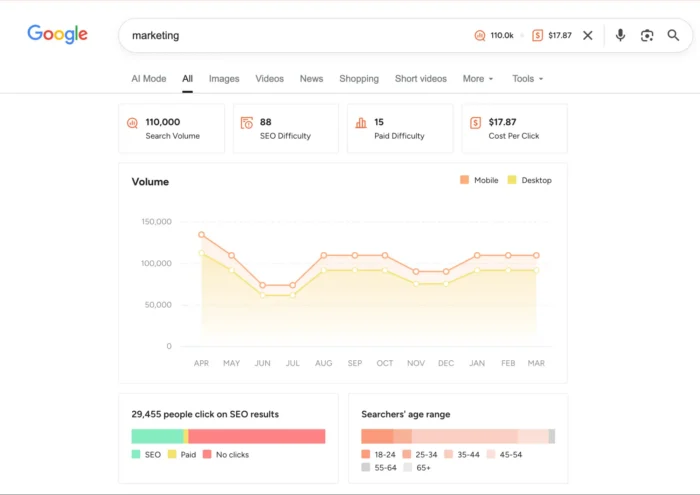
The Ubersuggest Chrome extension brings SEO data directly to your browser, so you don’t have to switch between tabs or tools to get the numbers you need.
Once installed, the extension will automatically activate when you perform a Google search. Directly on the results page, you can see the keyword data in layers: monthly search volume, cost-per-click (CPC) and competition values for your search term. No additional steps required.
Here’s how you can use it in some common use cases:
Research Keywords: Search any term on Google and the extension will instantly display volume and difficulty data. Use this to determine whether a keyword is worth targeting before investing time in content.
Stand out from the competition: Click on any organic result directly from the SERP and the extension will pull domain-level authority data. This way you can quickly assess who you are competing against. For deeper insight, combine it with a full competitive analysis to understand where gaps exist.
Find Related Keywords: The extension also displays keyword suggestions related to your search. These are useful for building topic clusters or identifying secondary terms to be incorporated into existing content.
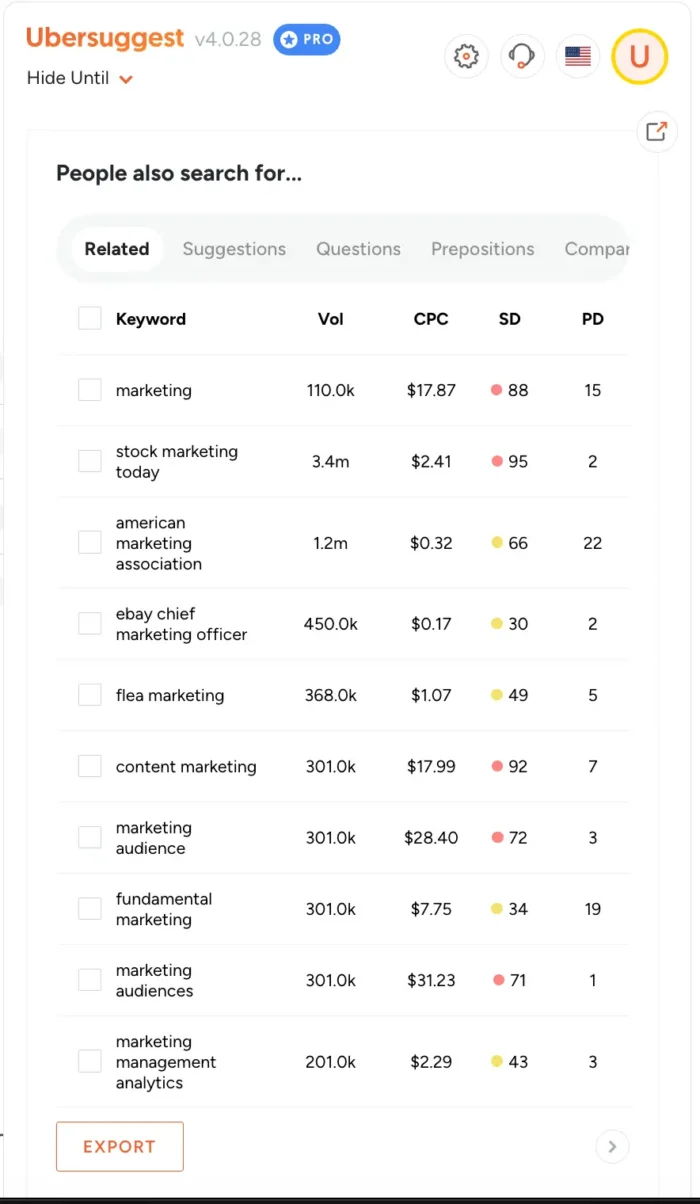
It works the same way whether you’re using Windows or Mac, as long as you’re running Chrome. The experience is consistent across both operating systems, so the workflow described above applies regardless of your setup.
Keyword research beyond Google
Google isn’t the only place people search. YouTube is the second largest search engine in the world and Amazon conducts more product searches than Google in the e-commerce space. The Ubersuggest Chrome extension works on both platforms and gives you keyword data wherever your audience is actually searching.
On YouTube, the extension displays keyword data directly as you type. Search for any term and see real-time volume and competition data on the suggested keywords.
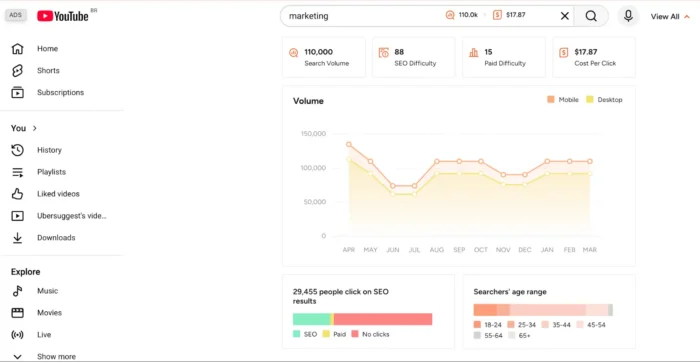
Click “See All” next to the search bar for a more detailed breakdown. You’ll see monthly search volume trends over the last 12 months, seasonal patterns, competition results, CPC data, click-through rates, and audience age groups. The extension also shows whether a keyword is targeted for mobile or desktop searches, which is important for conversion strategy. Desktop searches tend to result in higher conversion rates. Therefore, prioritizing these terms can sharpen your targeting.
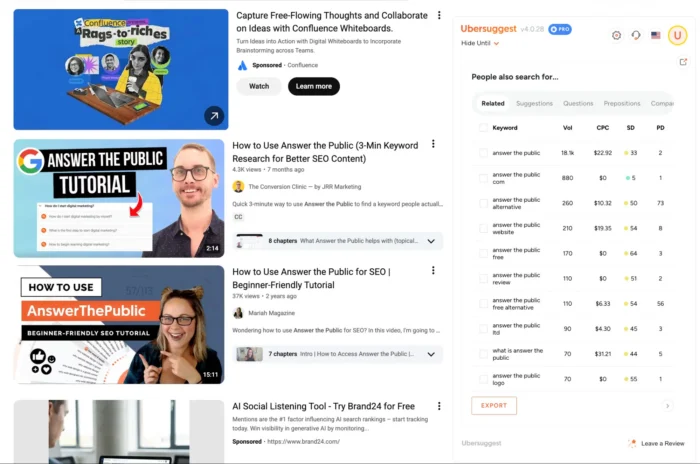
Related keyword suggestions are also displayed on the right side of each YouTube results page, allowing you to evaluate additional terms without leaving the page.
Amazon works a little differently. Instead of overlaying data on the results page, the extension displays keyword information directly in search suggestions, keeping the shopping experience intact while giving you the data you need for eCommerce keyword research.
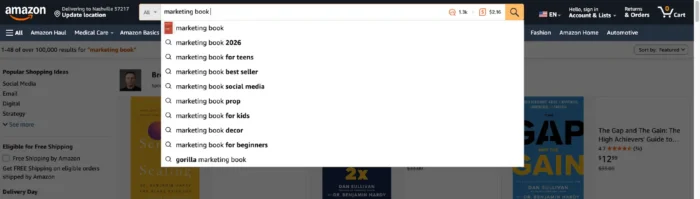
Consider the extension your gateway to smarter research across the open web. The data shown on Google, YouTube and Amazon is just the starting point. The full Ubersuggest platform goes deeper, offering features like AI visibility tracking and AI-powered keyword overviews that help you understand not only where you’re ranking, but also how AI search is surfacing your brand. These features are built into the platform, and extending them is the fastest way to get there.
What does this mean for you?
The search has changed. Google’s AI overviews now answer questions directly on the results page, and platforms like TikTok, YouTube and Amazon have become legitimate search destinations in their own right. Ranking on Google alone no longer guarantees visibility.
This is where Ubersuggest’s newer AI-focused features become relevant. The platform can show you how your brand and content are showing up in AI-generated results, not just traditional organic rankings. This type of insight cannot be obtained anywhere else and it is increasingly necessary to remain competitive.
The Chrome extension is your entry point into all of this. It gives you real-time keyword data as you browse and connects directly to the Ubersuggest platform, which runs the deeper AI visibility analysis. Together, they give you a clearer picture of where you stand in both traditional and AI-powered search.
In short, the extension speeds up daily research and the platform helps you think more broadly about where searches are going.
But wait, there’s more…
There’s another important change to the extension that you may have noticed if you use Google regularly.
When you search on Google, traffic estimates will now appear under each URL.
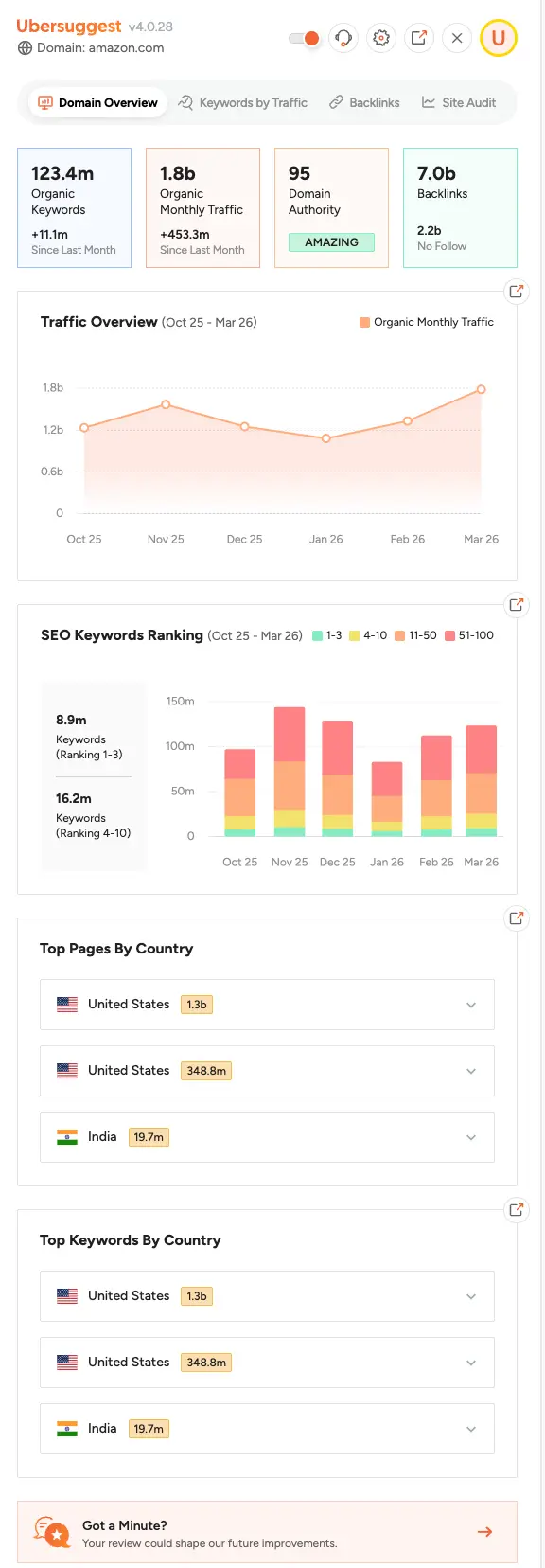
This traffic estimate applies to organic search traffic and is performed at the domain level. Finally, we’ll customize it to be page-based and even show you the other keywords that each page ranks for. However, for now we provide you with organic traffic estimates for each domain.
And if you’re more of a visual person, you can also see the traffic estimate for each result in the top 10 in the right sidebar.
FAQs
How do I use the Ubersuggest Chrome extension?
Once you download and install the Ubersuggest Chrome extension, it will automatically run in the background. Go to Google and do any search. You’ll see keyword data, including monthly search volume, CPC, and competitor ratings, right on the results page. The same applies to YouTube and Amazon. Search for a term and the extension displays keyword suggestions with supporting data as you type. No setup or configuration is required beyond the initial installation.
{ “@context”: “https://schema.org”, “@type”: “FAQPage”, “mainEntity”: [
{
“@type”: “Question”,
“name”: “How do I use the Ubersuggest Chrome extension?”,
“acceptedAnswer”: {
“@type”: “Answer”,
“text”: “
Once you download and install the Ubersuggest Chrome Extension, it runs automatically in the background. Go to Google and run any search, you’ll see keyword data including monthly search volume, CPC, and competition scores layered directly onto the results page. The same applies on YouTube and Amazon. Search a term and the extension surfaces keyword suggestions with supporting data as you type. No setup or configuration is needed beyond the initial install.
”
}
}
]
}
Diploma
Already using the Ubersuggest Chrome extension? It’s still a great way to get quick insights while browsing.
But here’s the real trick: use it as an entry point into the full platform.
As you click through, you unlock deeper keyword data, competitive insights, and our newer AI features that help you generate content ideas, analyze pages, and move forward faster without guessing.
Don’t have the extension yet? Install it here and turn everyday browsing into real SEO opportunities.
Follow us on Facebook | Twitter | YouTube
WPAP (697)
